Shield Agency – Copyright © 2018 -2025. All rights reserved.
Done for you Google Business Profile ranking.
Shield Agency Limited audits, optimizes, posts, monitors, and improves your Google Business Profile so more local customers find you on Google Search, Maps, and AI recommendations.
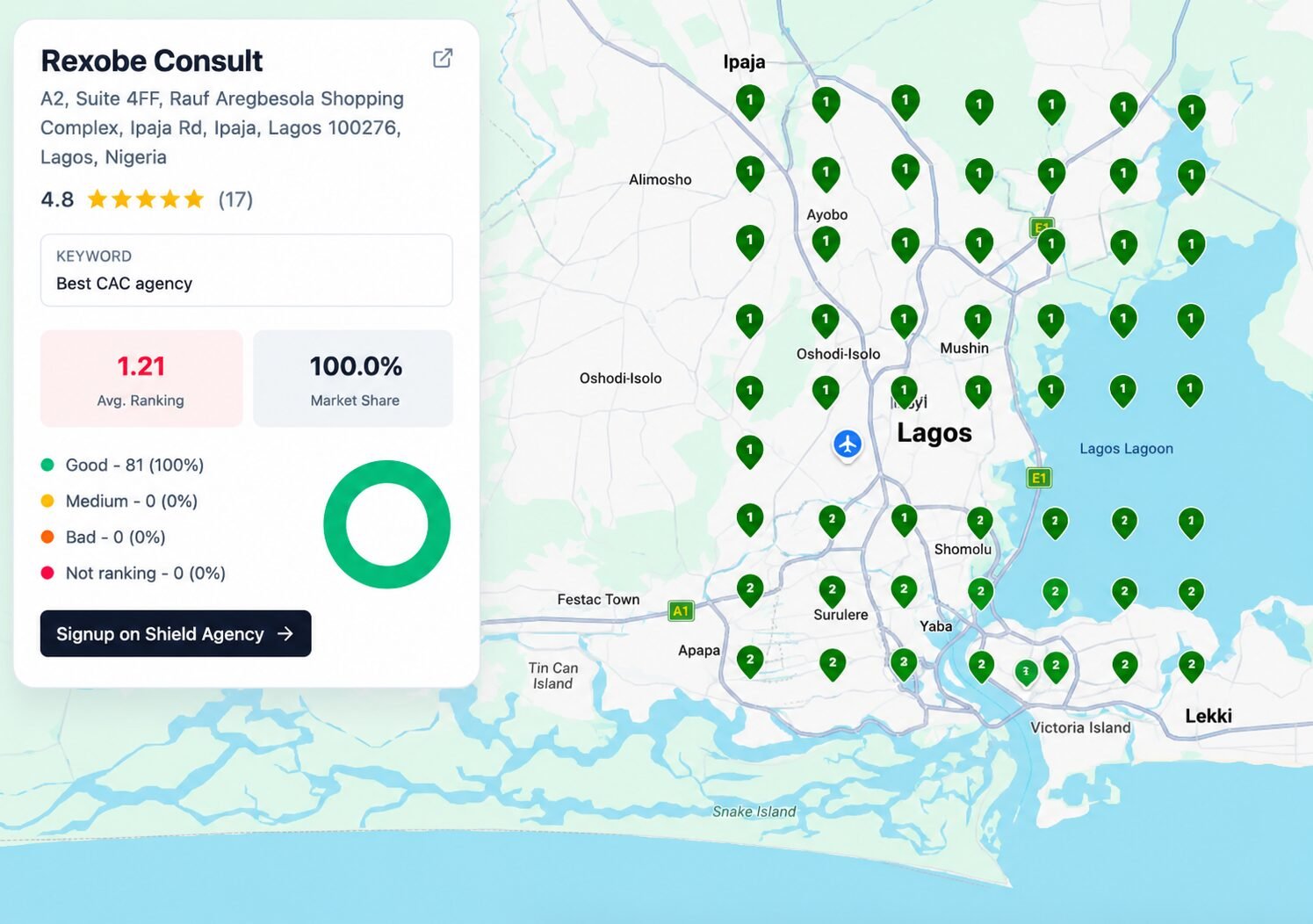
How We Drive Real Growth For Your Business
Why is my Google Business Profile not ranking in the Map Pack?
Most local businesses fail to rank because of mismatched NAP (Name, Address, Phone) data across the web, incorrect primary categories, or a lack of geo-relevant keyword authority. Shield Agency Limited systematically corrects your structural citations and updates your entity connections to signal strong local dominance to search algorithms.
How does a fully optimized profile increase sales instead of just traffic?
Map Pack leads are some of the highest-intent buyers in your area. By showcasing clear services, positive review highlights, structured pricing, and direct booking links on your Google Profile, we reduce friction and drive instant phone calls, website clicks, and in-person visits to your location.
How to invite Shield Agency Limited to your Google Business Profile
Follow these 5 simple steps to safely grant manager access so we can begin auditing, optimizing, and scaling your Google Maps presence.
PRICING AND OFFERS
Invite Email:
shieldagencylimited@gmail.com
Copy
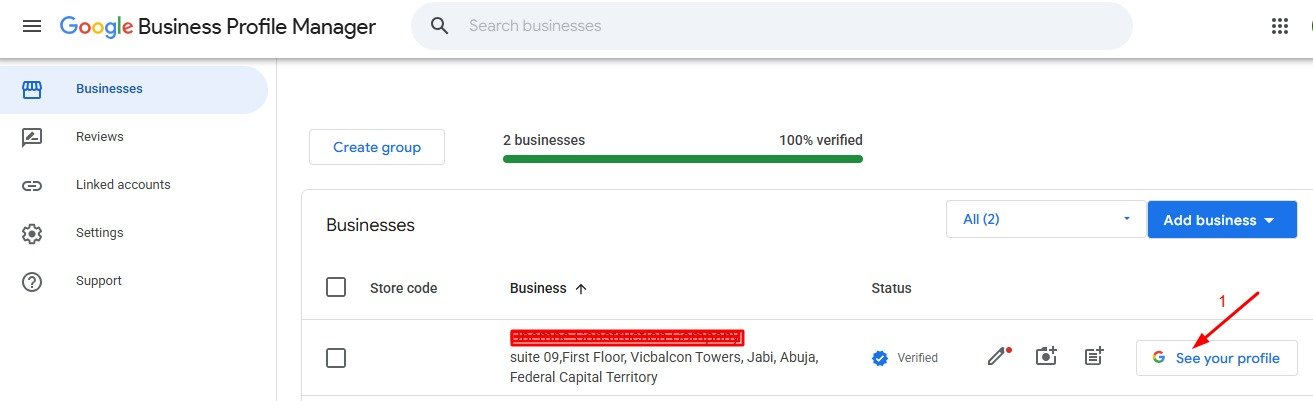
Step 01
Access Your Google Business Console
Sign in to the Google account registered as the Owner of your business listing by visiting business.google.com.
Step 02
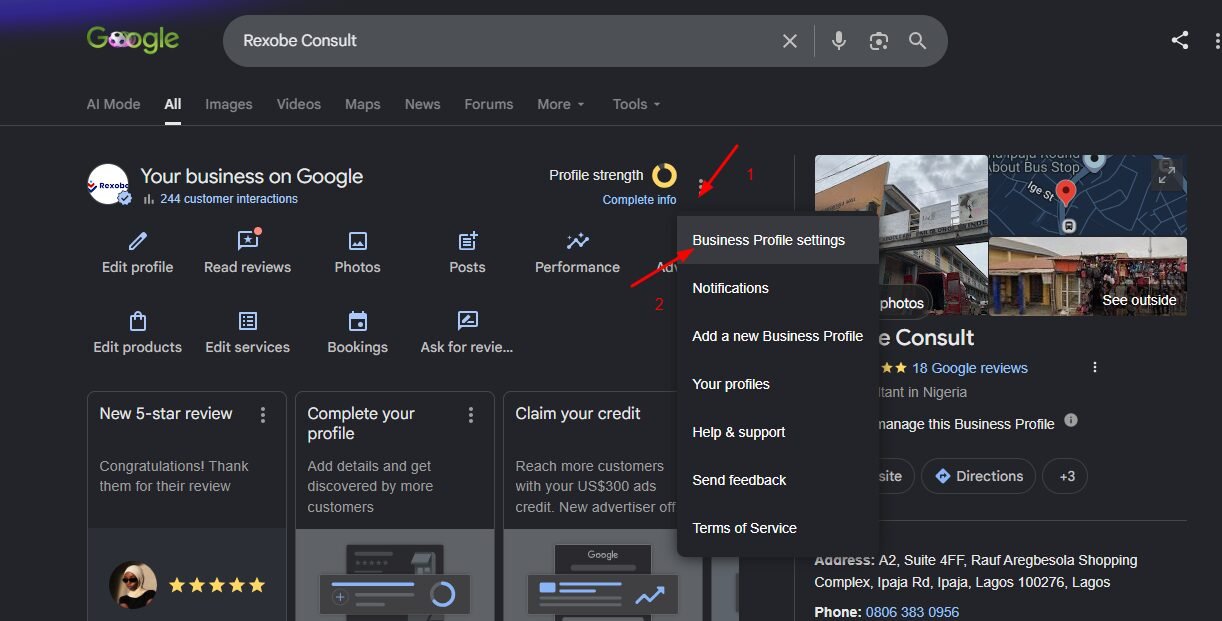
Click the Three Vertical Dots Menu
Look at the top-right corner of your business management panel. Locate and click on the three vertical dots menu icon right next to your profile completeness indicator.
Step 03
Select Business Profile Settings
From the dropdown choices, select the very first option: "Business Profile settings" to open administrative properties.
Step 04
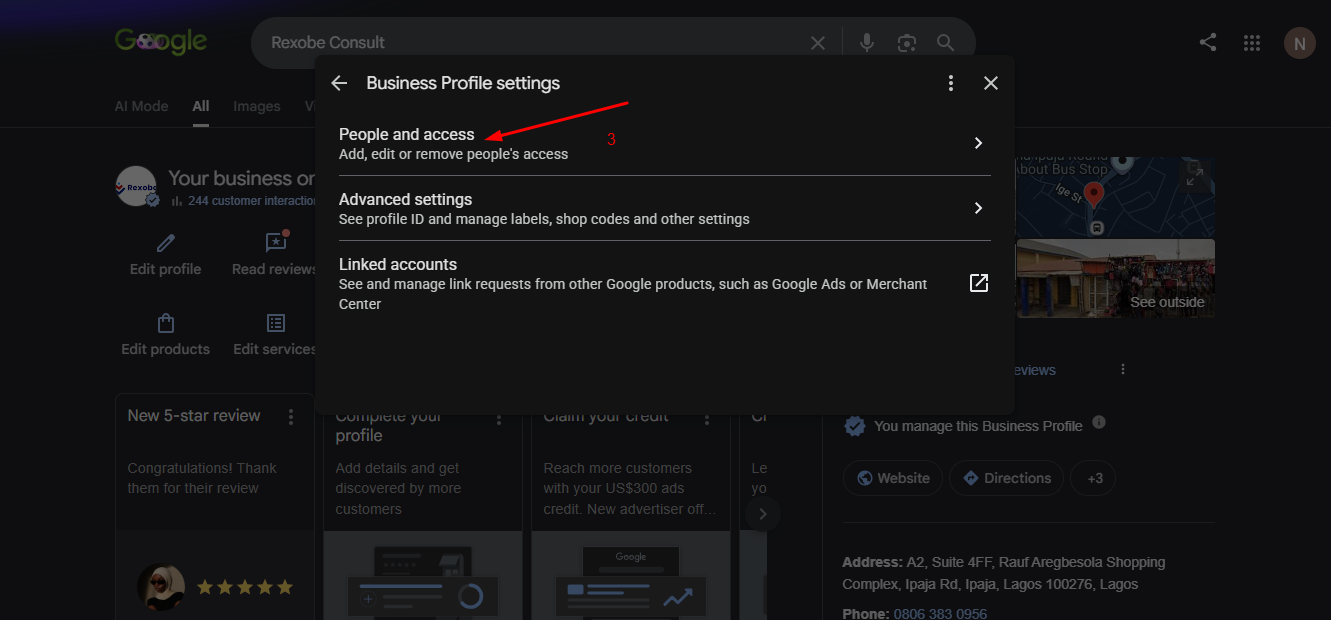
Navigate to People and Access
Under the settings modal, select the "People and access" link to view users currently authorized to access or edit your page.
Step 05
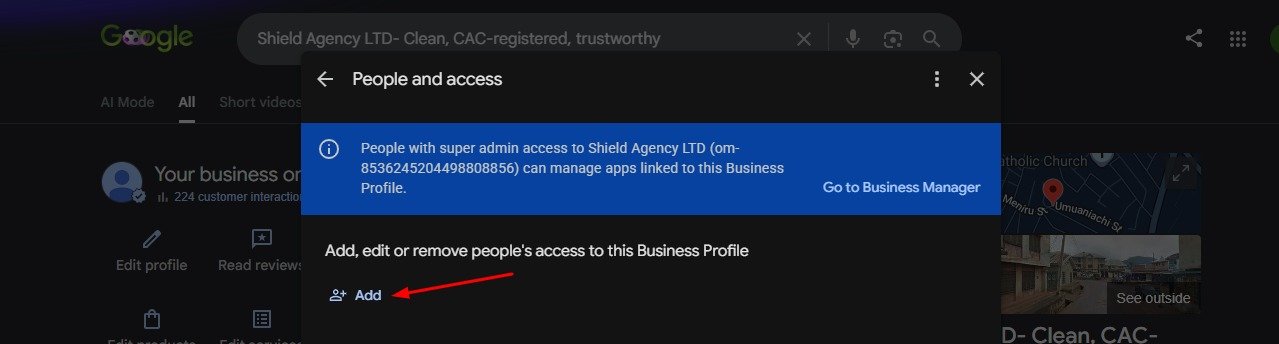
Invite Shield Agency Limited as a Manager
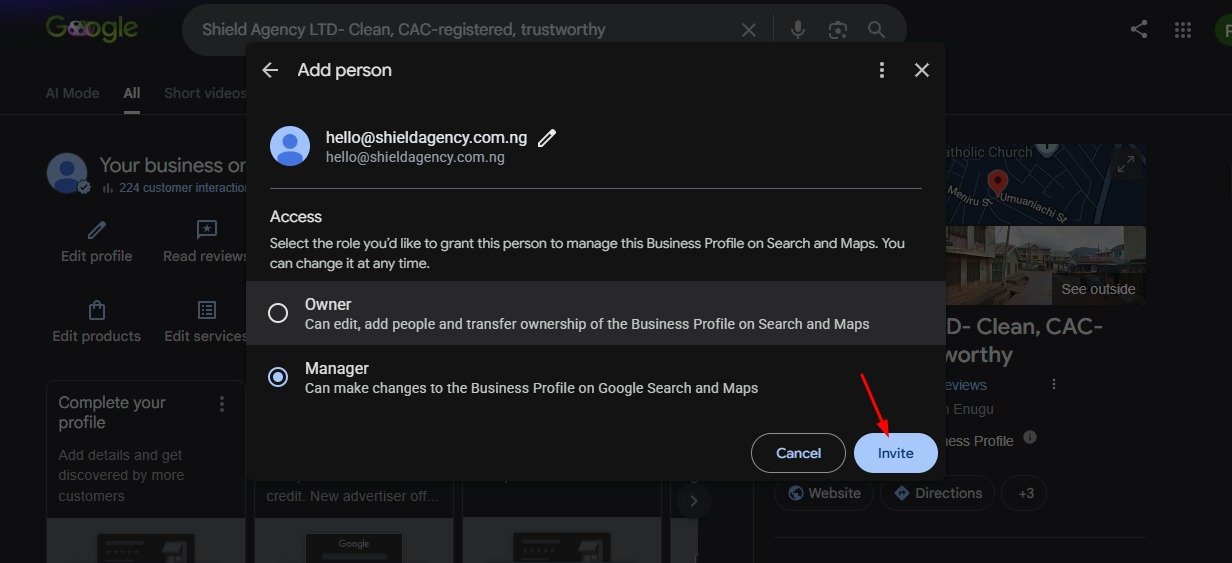
Click "+ Add". In the "Add person" dialog field:
- Enter shieldagencylimited@gmail.com in the Email address field.
- Under Access role, check the box for Manager.
- Click the blue Invite button to finalize.
Understand How Your Profile is Handled
What happens next?
Our optimization desk receives the secure invitation email and will accept it within one business day. As soon as we accept, you will see us listed inside your People and access dashboard as an active Manager.
Why Manager access (and is it safe)?
The Manager role gives our specialists optimal parameters to build out geo-citations, coordinate maps sync, edit core service items, and monitor incoming customer messages. This role does not let us transfer owner credentials, delete your page, or lock you out. Your digital assets remain 100% under your sovereign control.
Can I remove Shield Agency Limited later?
Yes, absolutely. You retain supreme primary owner status. You can remove or downgrade our access at any point in the future within 3 seconds directly from the same People and access panel.
How does this accelerate local lead generation?
Having our team as a manager allows us to configure real-time updates, schema micro-data integrations, photo uploads, and review responses. This constant activity signals to Google’s algorithm that your brand is active, driving up Map Pack rankings and direct customer actions like phone calls and physical store directions.